FIELD SIDE
TayqaSale: modules for running field operations
Your entire field force in one mobile app — offline mode, photos, push notifications, multilingual support.
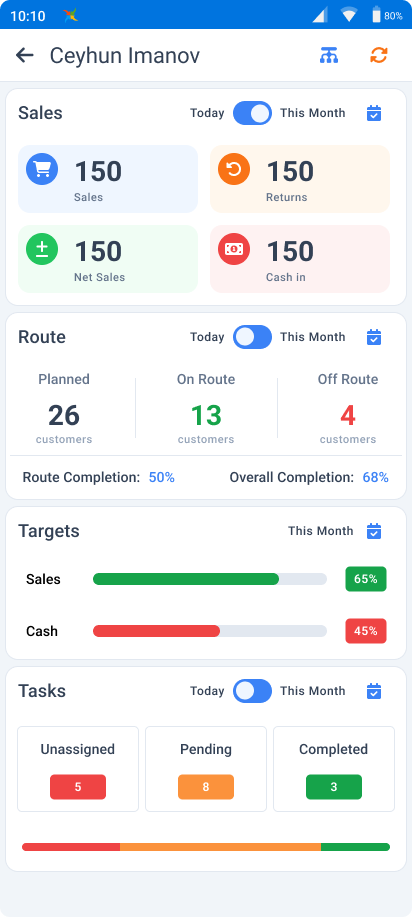
One app — adapts to whoever uses it
Each role sees only the screens and actions its job needs.
Permissions come from the shared platform layer — new employees are ready in minutes.
The mobile app runs on Android devices · The web portal opens in any modern browser · Offline mode included
Module 01 · SLS
Sales automation (SLS)
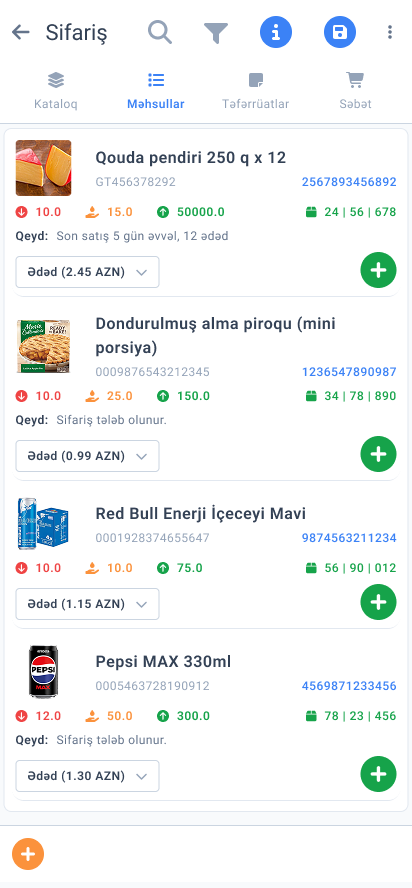
Every step from order to collection on the device; pricing and control rules apply automatically.
- Product catalog (description, unit, barcode)
- Pricing engine (customer/group prices applied automatically)
- Sales controls (stock limit, min/max, SKU block)
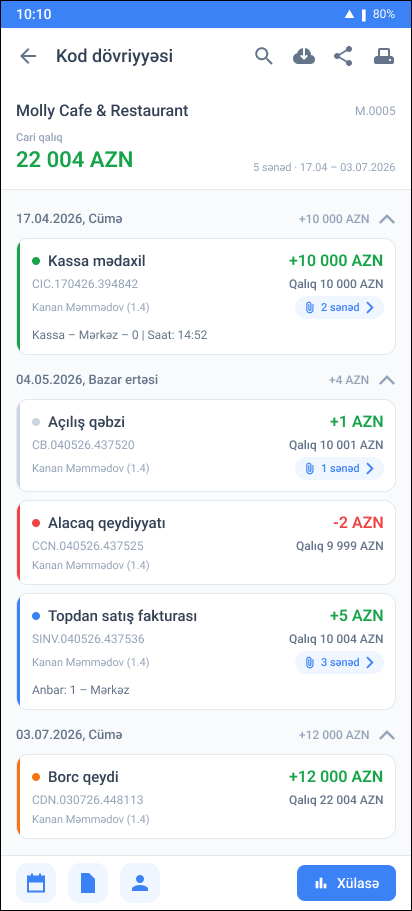
- Transactions (orders, van sales, returns, cash, transfers)
Inside SLS
Smart suggestions
Recommendations based on the customer's purchase history — the rep knows what to offer.
- Order templates
- Recommendations (auto-calculated quantity per SKU)
- List of dropped SKUs
- Customizable algorithms
Bigger baskets, fewer forgotten SKUs.
Inside SLS
Returns management
Standard reasons and multi-step approval — every return is traceable.
Module 02 · WPM
Field tasks (WPM)
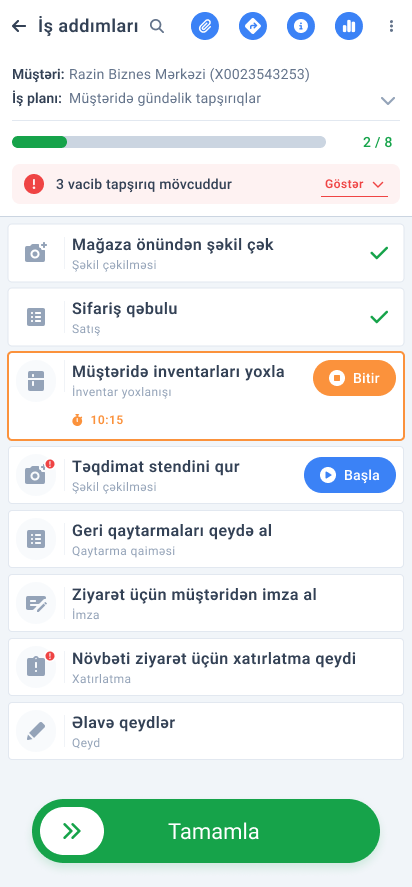
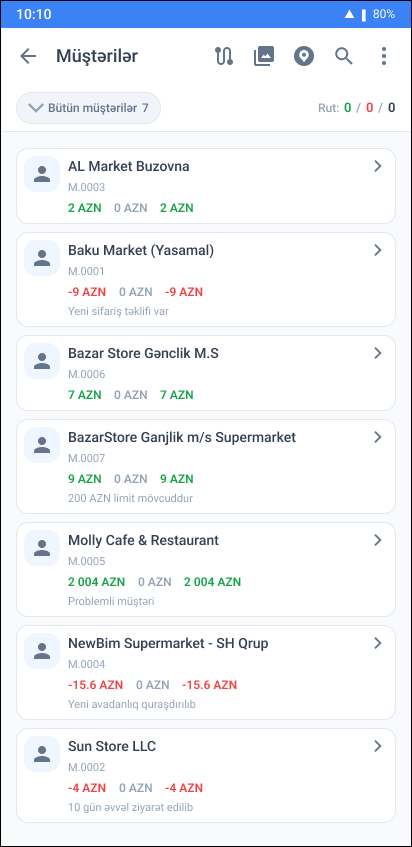
A field day with routes, plans and reports — no step is forgotten.
- Route planning (one-off tasks and work orders)
- Geo-restriction (visits only at the actual location)
- Detailed activity tracking
- Use cases (visits, merchandising, debt audits)
Inside WPM
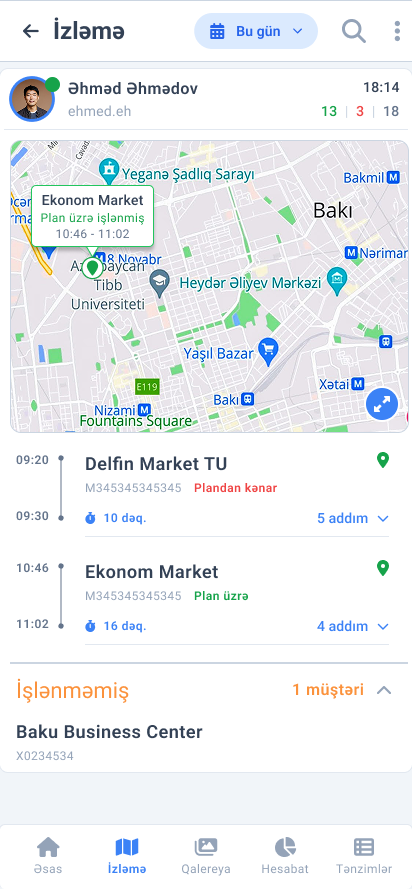
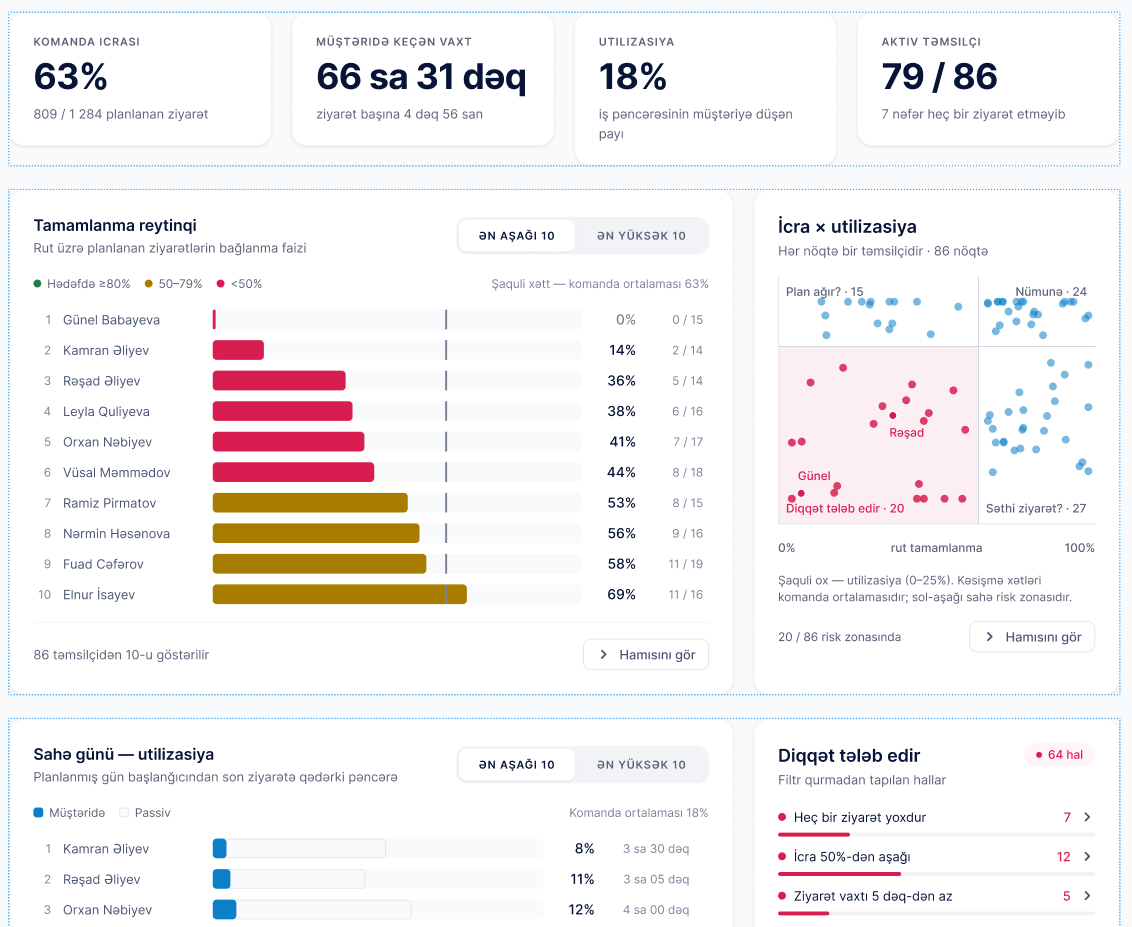
Route statistics
How each employee executed their plan, on one screen: time, percentage, visit duration.
- Daily customer route (real-time status)
- Planned vs unplanned time
- Completion rate
- Preloaded transactions
Inside WPM
Photo gallery & Stories
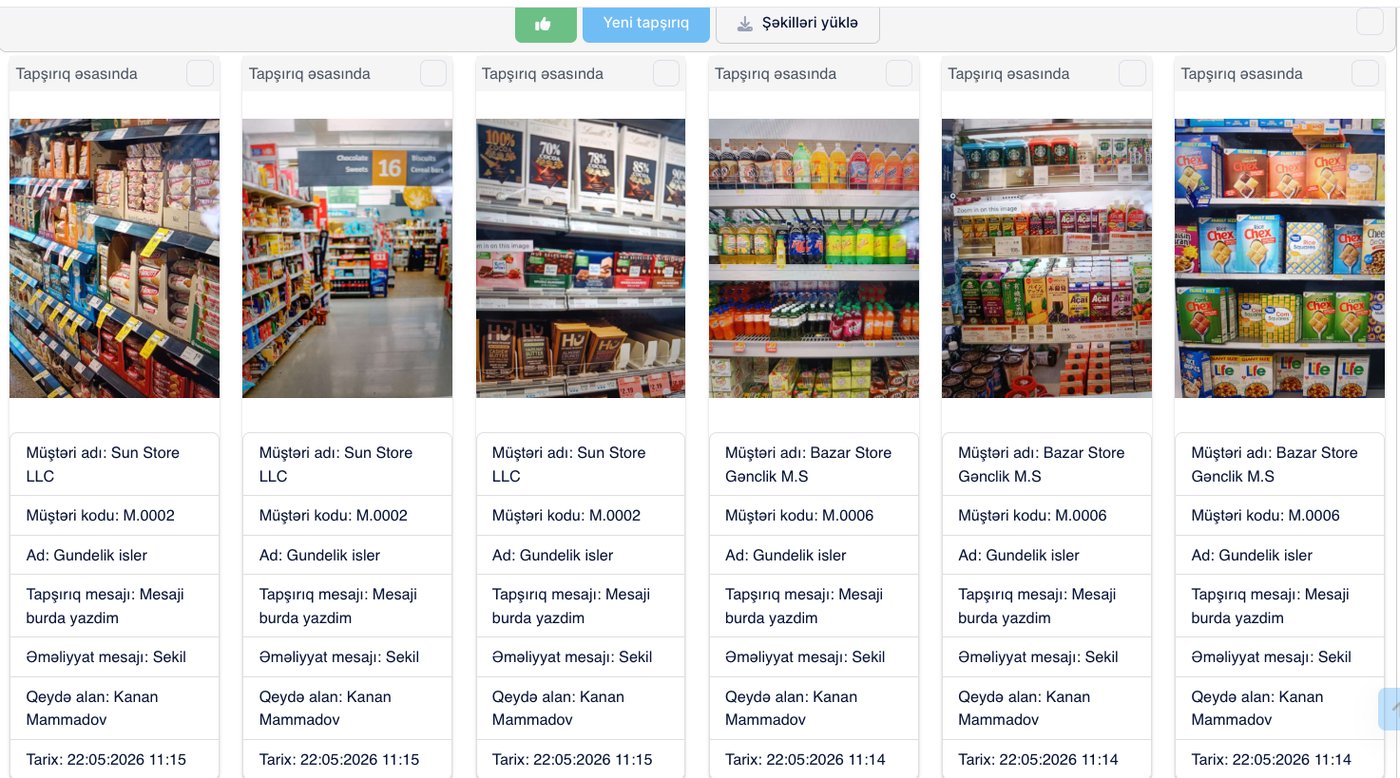
Every visit becomes visible — from observation to task in one click.
- Central gallery (all visit photos)
- Daily stories (for supervisors)
- Search (customer, employee, date, geography)
- Task from photo (like/comment)
Module 03
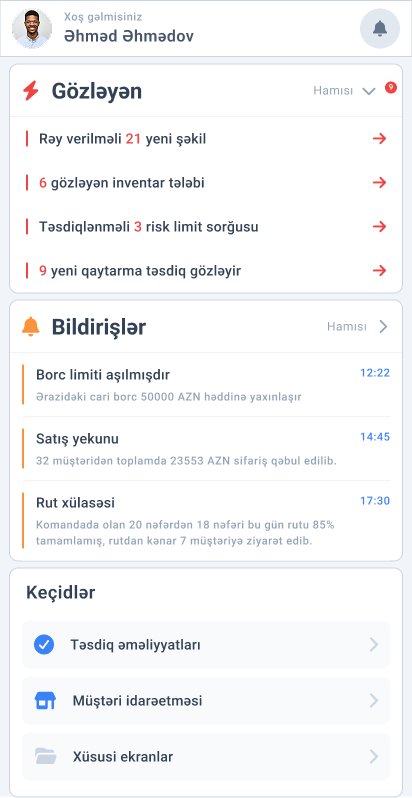
Team management & GPS tracking
Employee locations on a real map with automatic GPS logs — from tracking to approvals, the supervisor has it all.
- Employee location and the day's transactions on a map
- Manager panel (approval requests, risk alerts)
- Field task (instant work order — photo + priority)
- Task automation (rule-based auto tasks)
- Approvals (off-route, credit limit, returns, high amounts)
- Auto-log (every minute, every transaction, or both)
- Restriction (transactions only at the customer's actual location)
- Track replay (planned vs actual)
Module 04 · CHL
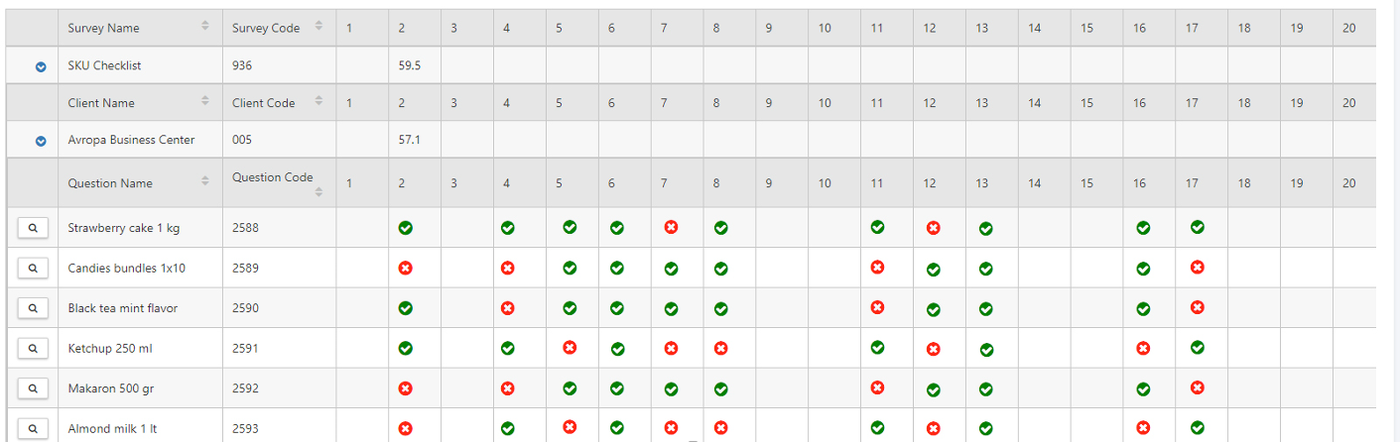
Surveys & Checklists (CHL)
Collect structured data from the field — from shelf audits to market research.
- Surveys and checklists (questions, questionnaires)
- Use cases (shelf share, planogram, promo, competitors)
- Scores and KPIs (configurable weights)
Module 05 · INV
Field assets (INV)
Fridges, stands and displays are tracked from request to return — losses become visible.
- At the customer (place, return, transfer, repair request)
- In the warehouse (transfer, write-off, repair, condition check)
- Every movement goes through approval
- Lost assets (investigation flow)
Request → placement → audit → repair → return — every step with approval.
Module 06 · WMM
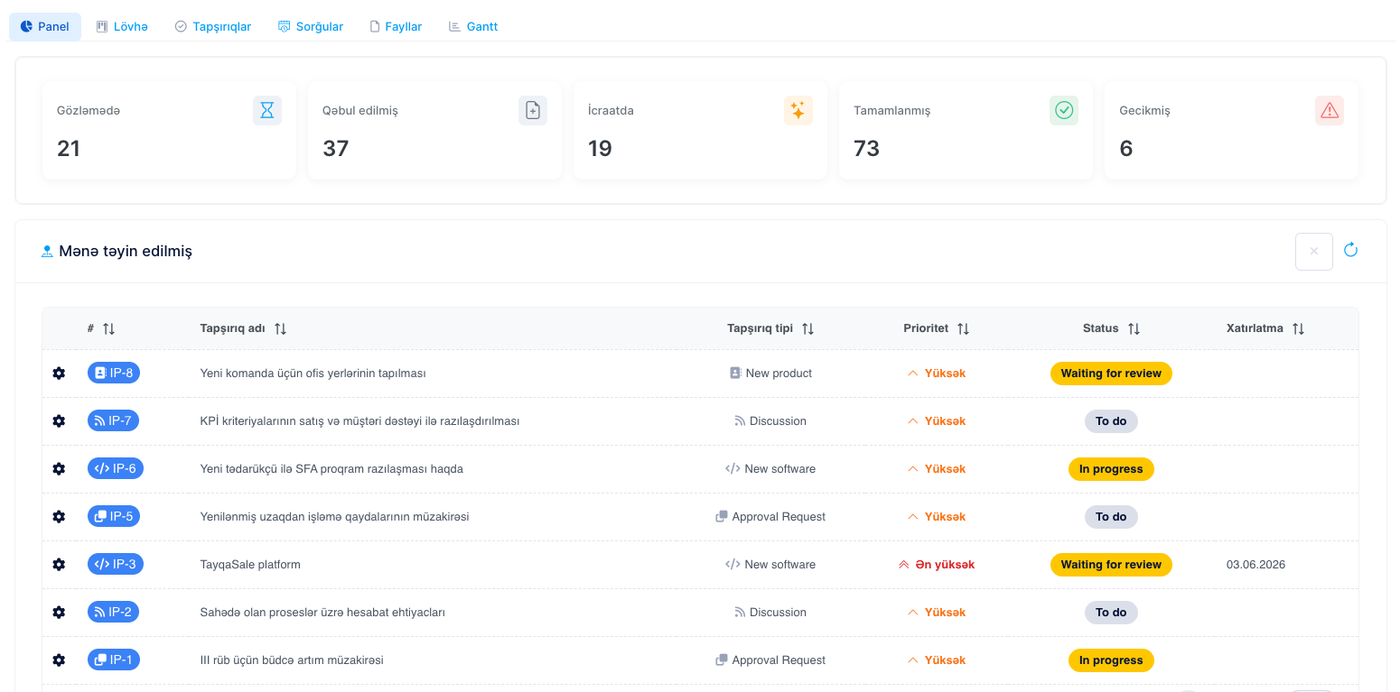
Work management (WMM)
Office work is managed like field work: projects, Kanban and requests in one place.
- Projects and tasks (with activity types)
- Four sections (Dashboard · Kanban · Tasks · Requests)
- Delegation (cross-project, comments, mentions, forwarding)
- Use cases (HR onboarding, financial close)
Module 07 · DTM
Dynamic Tools (DTM)
An SQL-based no-code platform — build company-specific reports and screens without waiting for a new version.
- Web portal (reports, screens, content)
- Mobile app (reports, screens, custom dashboard)
- Integration (third parties via API and FTP)
- Automation (scheduled emails, notifications)
New requests need no programming — less budget and time.